

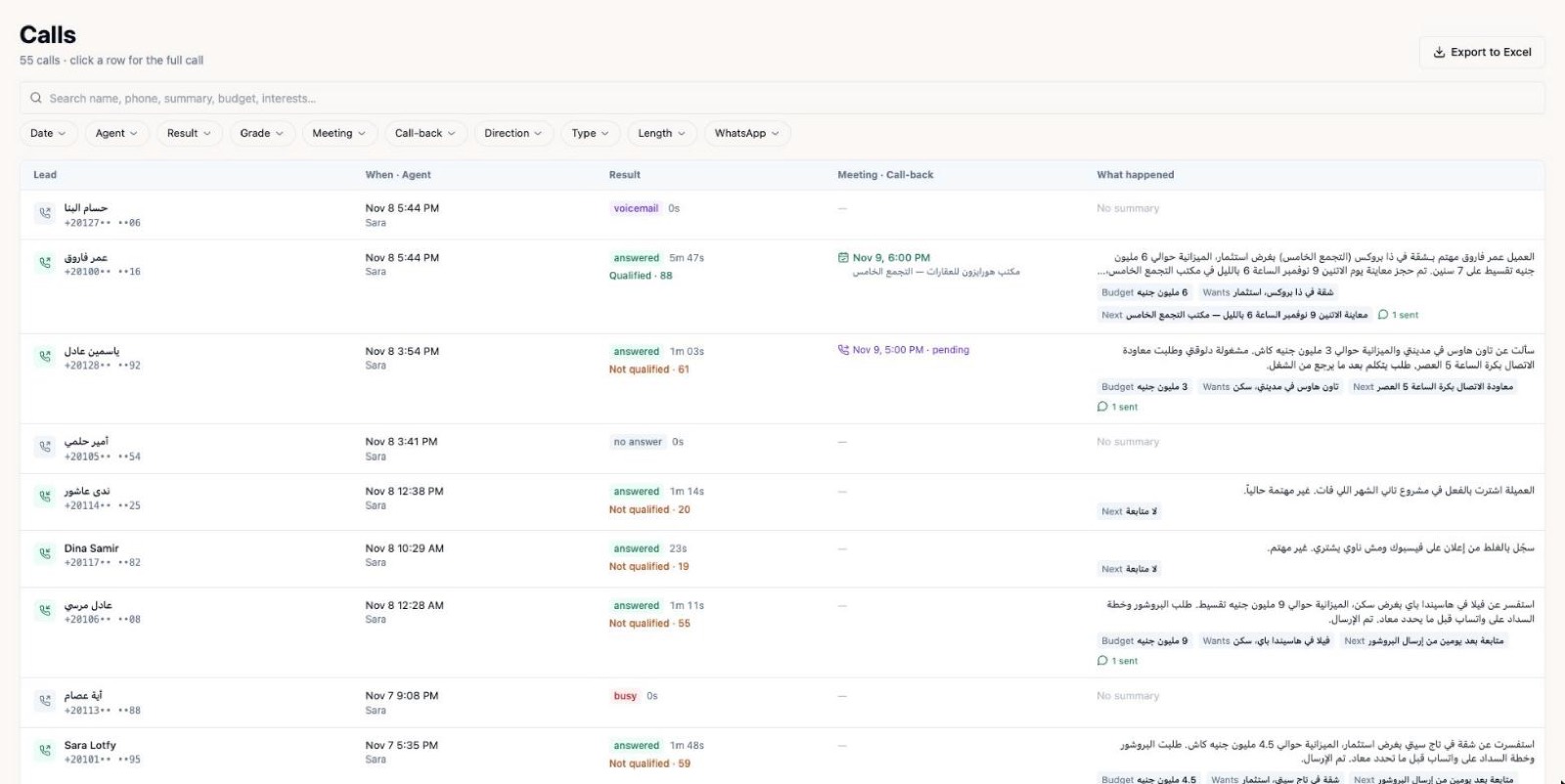
A WhatsApp AI agent for business can message the customer the moment a call ends: a booking confirmation, a location pin, a reminder, or an answer to a question that came up during the call. It works because in Egypt and the Gulf, WhatsApp is where most customers already read and reply, so a follow-up there is seen quickly.
Phone calls are great for talking, but weak at remembering. Customers forget times, addresses and next steps. A short message after the call fixes that, and automating it means it happens every time, not only when someone on your team has a free minute.
What to send after a call
Follow-up messages work best when they are short, specific and useful. Here are the ones that tend to matter most.
- Confirmation: the date, time, place and name of the booking, so nothing is misunderstood.
- Location: a map pin or a clear address, which is easier than reading directions aloud.
- Summary: two or three lines on what was agreed on the call.
- Documents or details: a brochure, a menu, a price list that you already share with customers, or a link to book.
- Reminder: a message before the appointment, with an easy way to confirm or reschedule.
Real situations by industry
- Clinics: after booking, the patient receives the time, the doctor's name and what to bring.
- Real estate: after a call about a property, the lead gets the project details and a viewing slot to confirm.
- Restaurants: a reservation confirmation with the party size, and a reminder before the table is held.
- Car dealerships: a test-drive time and the showroom location after a call.
- Delivery: the delivery window and a way to reschedule when no one will be home.
What to automate and what to keep human
Automate the predictable: confirmations, reminders, common questions and information requests. These are repetitive, time-sensitive and the same every time.
Keep people in charge of the sensitive and the complicated: complaints, negotiations, refunds that need judgement, and anything emotional. A good agent recognises when to stop and hand over to a person with the whole conversation attached, so the customer never repeats themselves.
How to set it up, step by step
- List the moments after a call where customers usually need something: a confirmation, a location, a reminder.
- Write the message for each moment in your customers' language and dialect, short and friendly.
- Decide what the agent may answer by itself and what must go to a person.
- Connect the follow-up to the outcome of the call, so a booking triggers a confirmation and a missed appointment triggers a rebooking offer.
- Set sensible hours. Avoid late-night messages, and think about Friday and Ramadan timing.
- Review conversations in the dashboard every week and refine the wording.
Mistakes to avoid
- Messaging people who did not expect it. Follow up on conversations the customer started, and respect opt-outs.
- Long walls of text. Customers read WhatsApp on the go, so keep each message to the point.
- One generic message for everyone. A reminder that names the service and time is far more useful.
- No way to reach a person. Always give the customer a route to a human.
- Never checking the results. Read a sample of threads to see where customers get stuck.
Kalemna builds AI voice agents that answer and make calls and then follow up on WhatsApp, in English, Arabic dialects & 25+ languages. The agent can send confirmations, reminders and answers, update your CRM or calendar, and show you the recording and transcript in the dashboard.
Start small. Pick one type of call, such as appointment bookings, automate its follow-up message, and watch how customers respond before you add more.
Frequently asked questions
Can a WhatsApp AI agent answer customer questions by itself?
Yes, for routine questions you have approved answers for, such as hours, location and booking details. For anything sensitive or unclear, it should pass the chat to a person.
Should the follow-up come after every call?
After most calls that end in an action, such as a booking, a callback request or a question about details. Skip it when it would add nothing for the customer.
Does the customer need to install anything?
No. They simply receive the message on the WhatsApp they already use.
How do I know the follow-ups are working?
Review the conversations in your dashboard, and compare outcomes such as confirmed appointments and replies before and after you started.